

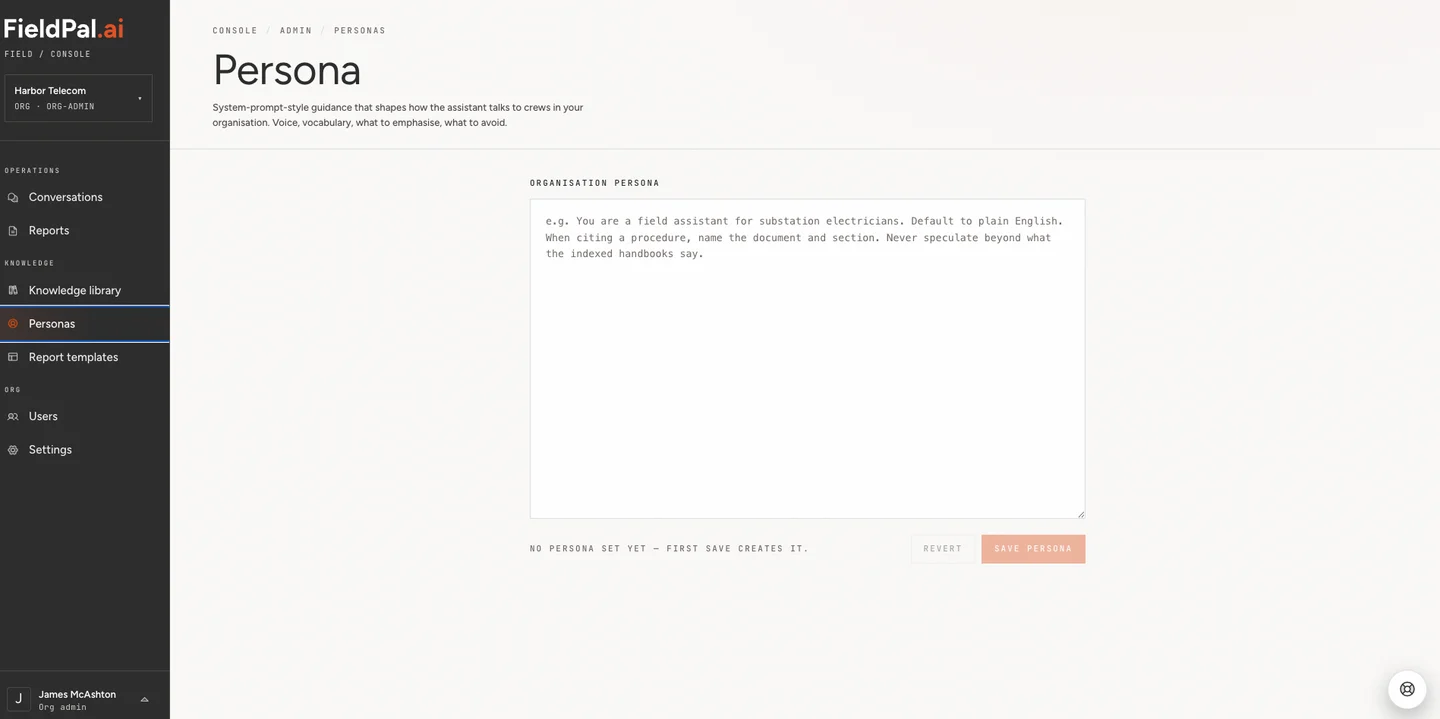
Step 1: Open Personas
In the left-hand sidebar, click Personas.Step 2: Write your organisation persona
Type your instructions into the Organisation persona box. This is a single block of free text, written the way you’d brief a new starter: who the assistant is, how it should sound, and any rules it should follow. If you leave the box empty, FieldPal uses its default persona.Step 3: Save
Click Save persona. If you’ve made changes you don’t want to keep, click Revert to discard them and restore the last saved version. The first time you save, the message changes from “No persona set yet, first save creates it” to show the persona is active.Writing a good persona
A persona is most useful when it covers:- Role and audience — who the assistant is and who it’s talking to. For example, “You are a field assistant for warehouse maintenance technicians.”
- Tone and length — formal or informal, brief or detailed. For example, “Keep responses short and practical. Expand only if the user asks for more detail.”
- Language conventions — UK or US English, units, date formats, or terminology specific to your industry.
- Sourcing behaviour — how the assistant should handle the Knowledge Library. For example, “When referencing a manual, name the document and section. If the answer isn’t in the indexed documents, say so rather than guessing.”
- What to avoid — topics, phrasing, or behaviours that aren’t appropriate for your team.
Example
Tips
- The persona is organisation-wide. It applies to every user’s conversations, not just one template or report type.
- Keep it as a set of clear instructions rather than a long story. The assistant follows it like a brief, not a script.
- Review and update the persona as your team’s needs change. There’s no version history, so it’s worth keeping a copy of your wording somewhere safe before making large edits.