

Step 1: Start the report
From the home screen, tap Complete report, then choose a template that includes a conditional section.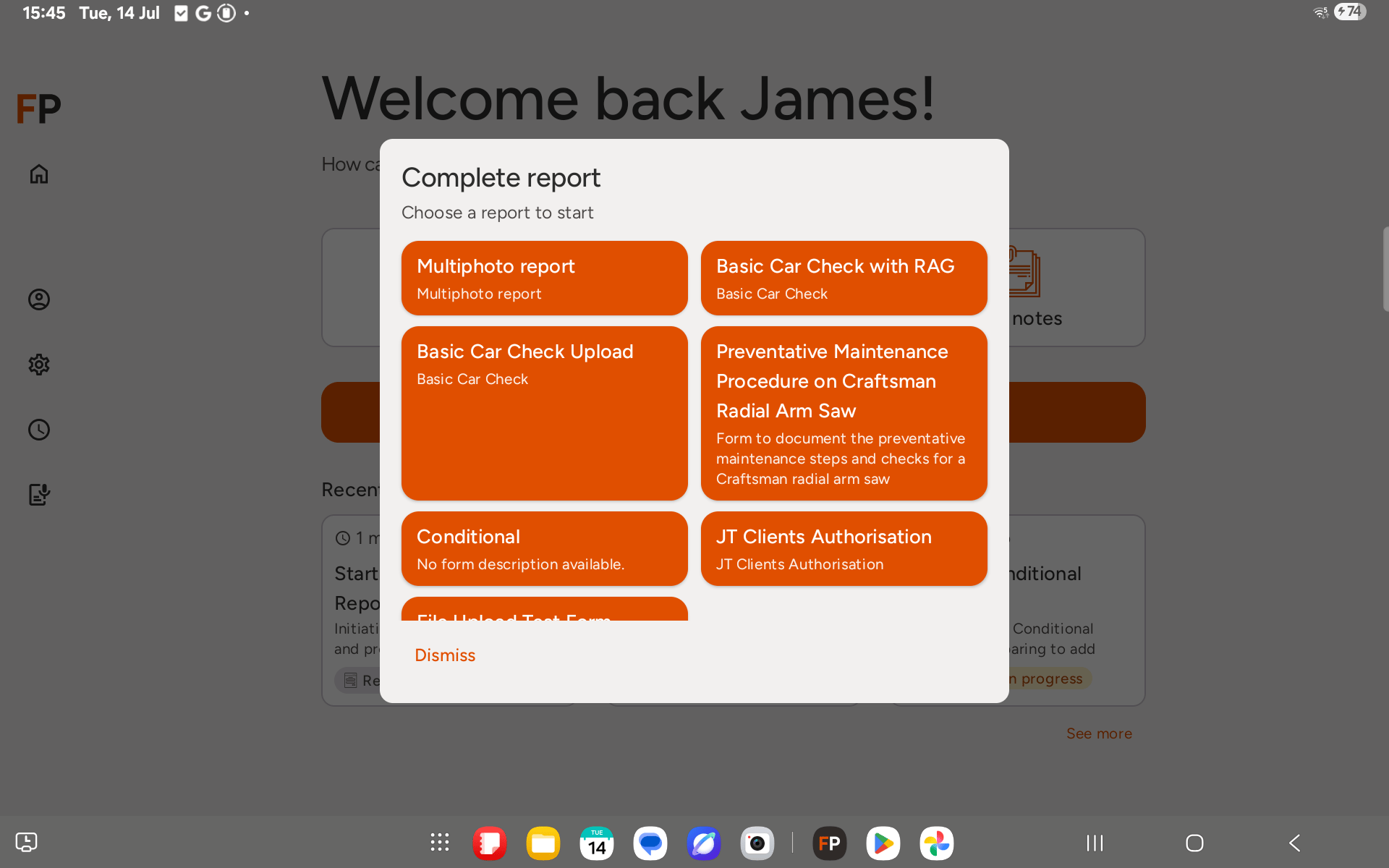
Step 2: Conditional sections start hidden
When the report first loads, only the top-level fields are shown. Any conditional sections stay hidden until their trigger condition is met.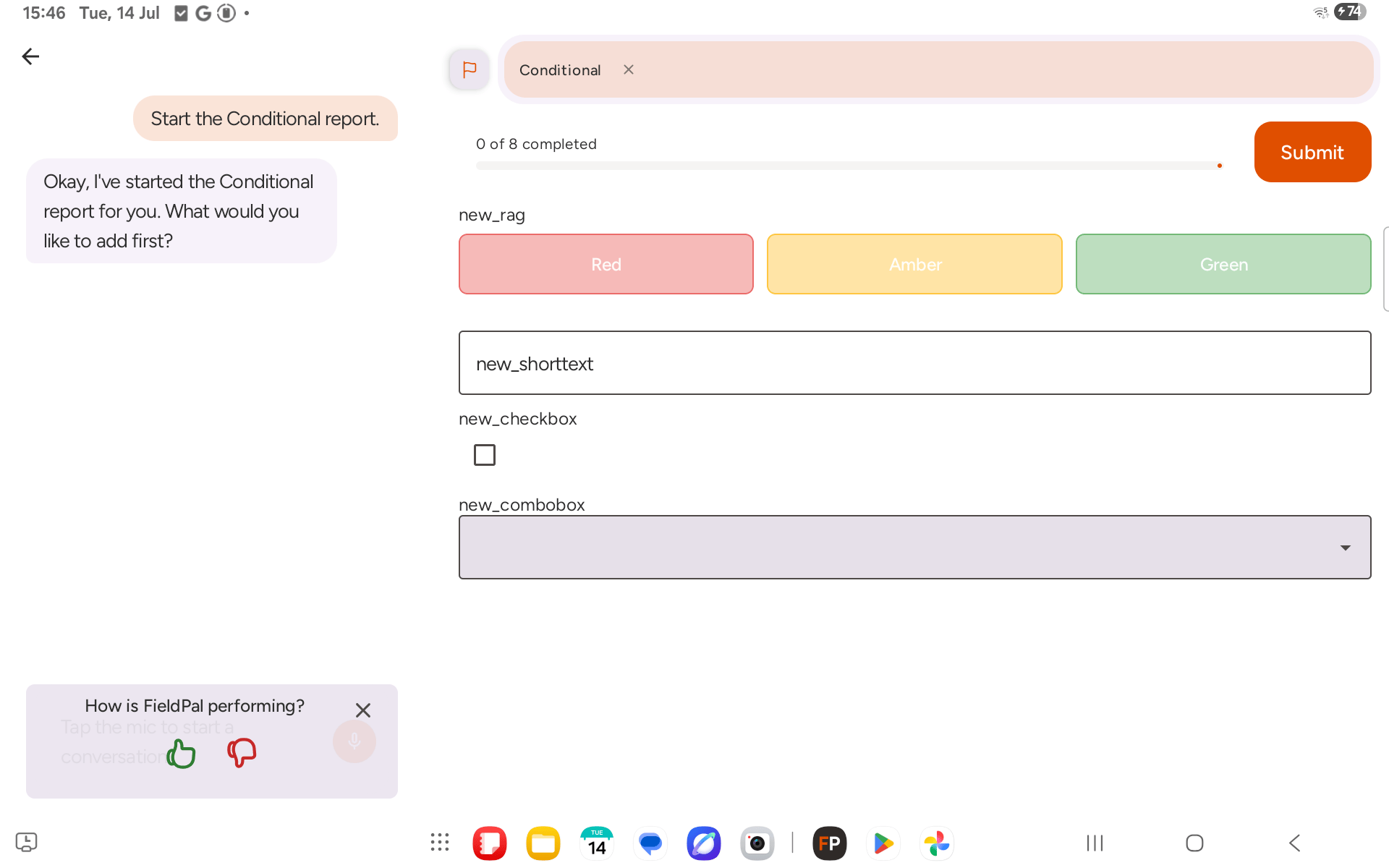
Step 3: Answering a trigger field reveals its section
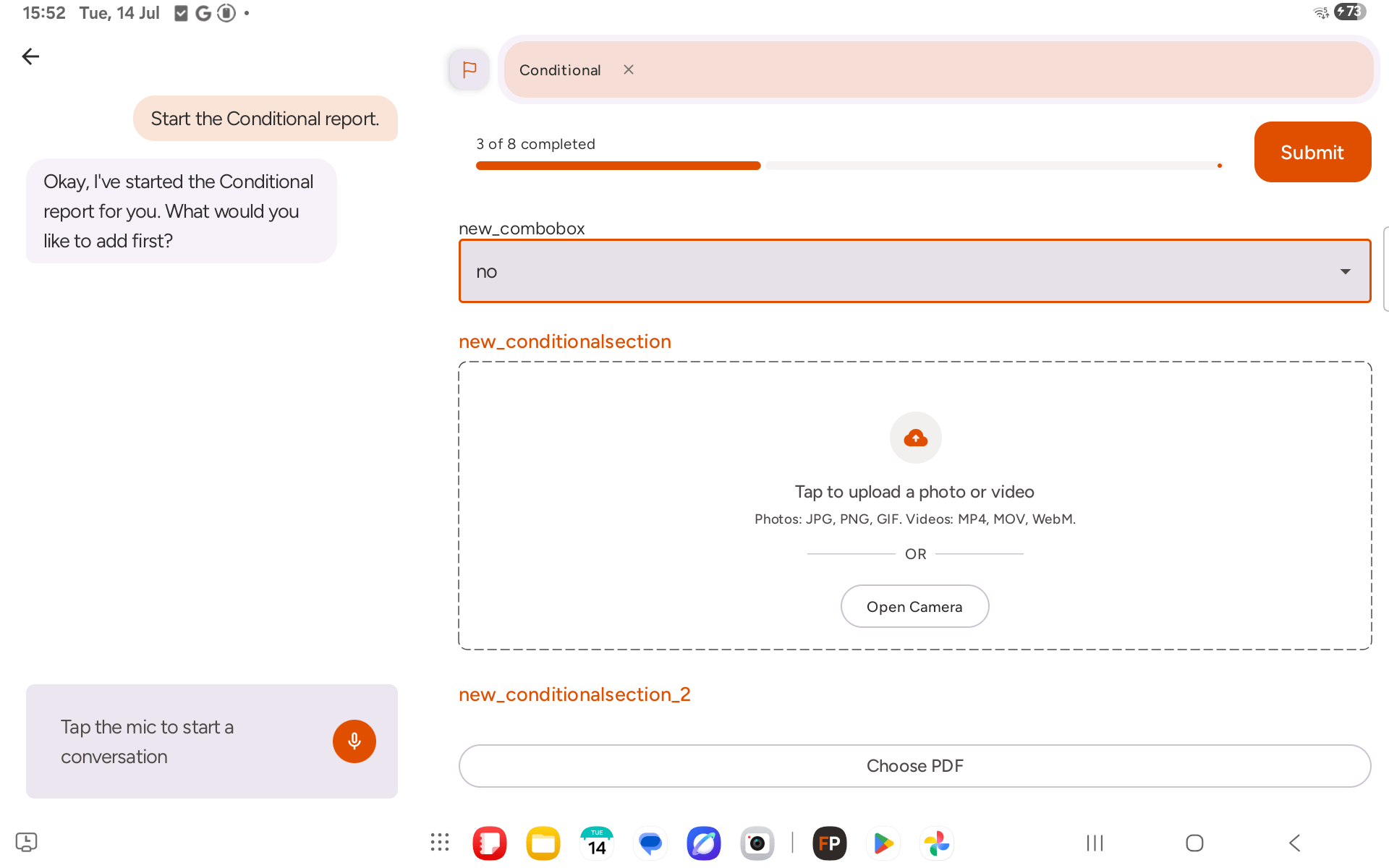
Setting a trigger field to the matching value reveals its section immediately, directly underneath it, with its own fields to fill in. This works the same way regardless of what type of field is doing the triggering. A RAG field set to the matching colour reveals its section: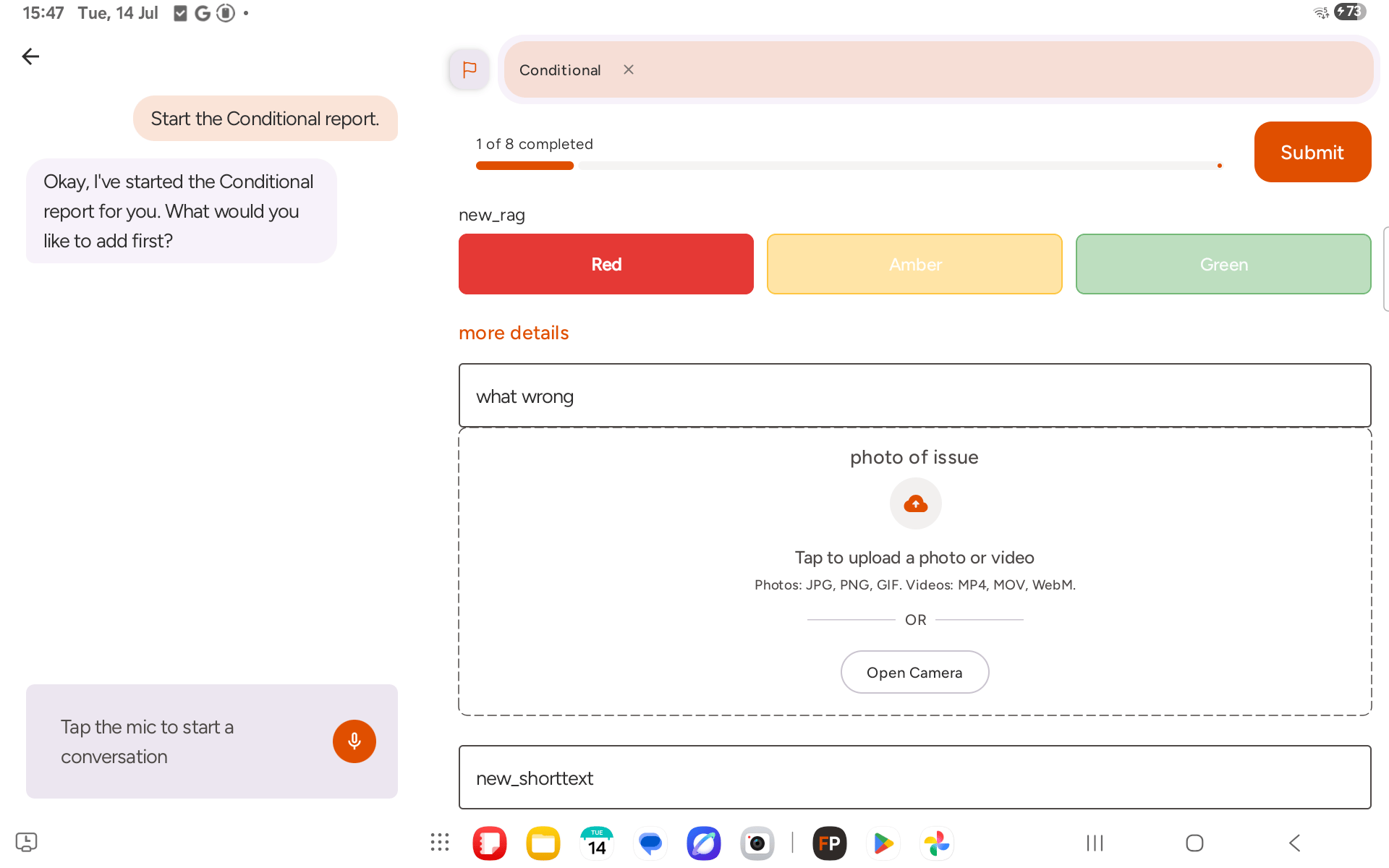
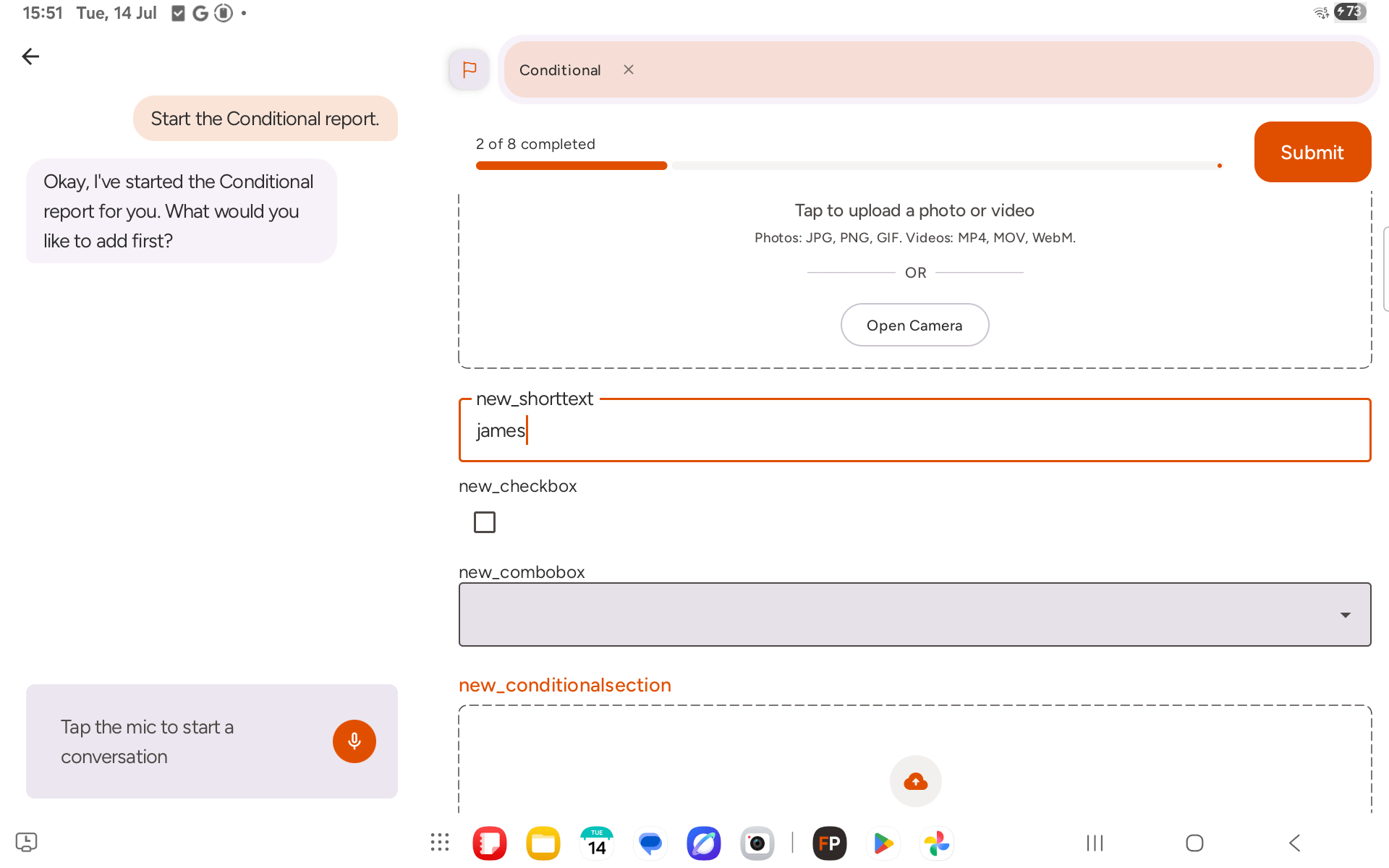
Step 4: Fill in the revealed fields as normal
Once a conditional section appears, its inner fields behave exactly like any other field on the form — fill them in by tapping, typing, or telling the AI assistant what to add. They count towards the report’s completion progress just like top-level fields do.A conditional section can only be triggered by an ordinary field (short text, RAG, checkbox, combo box, and so on). It can’t be triggered by another conditional section.