

v1.0.749: 21 September 2026
New
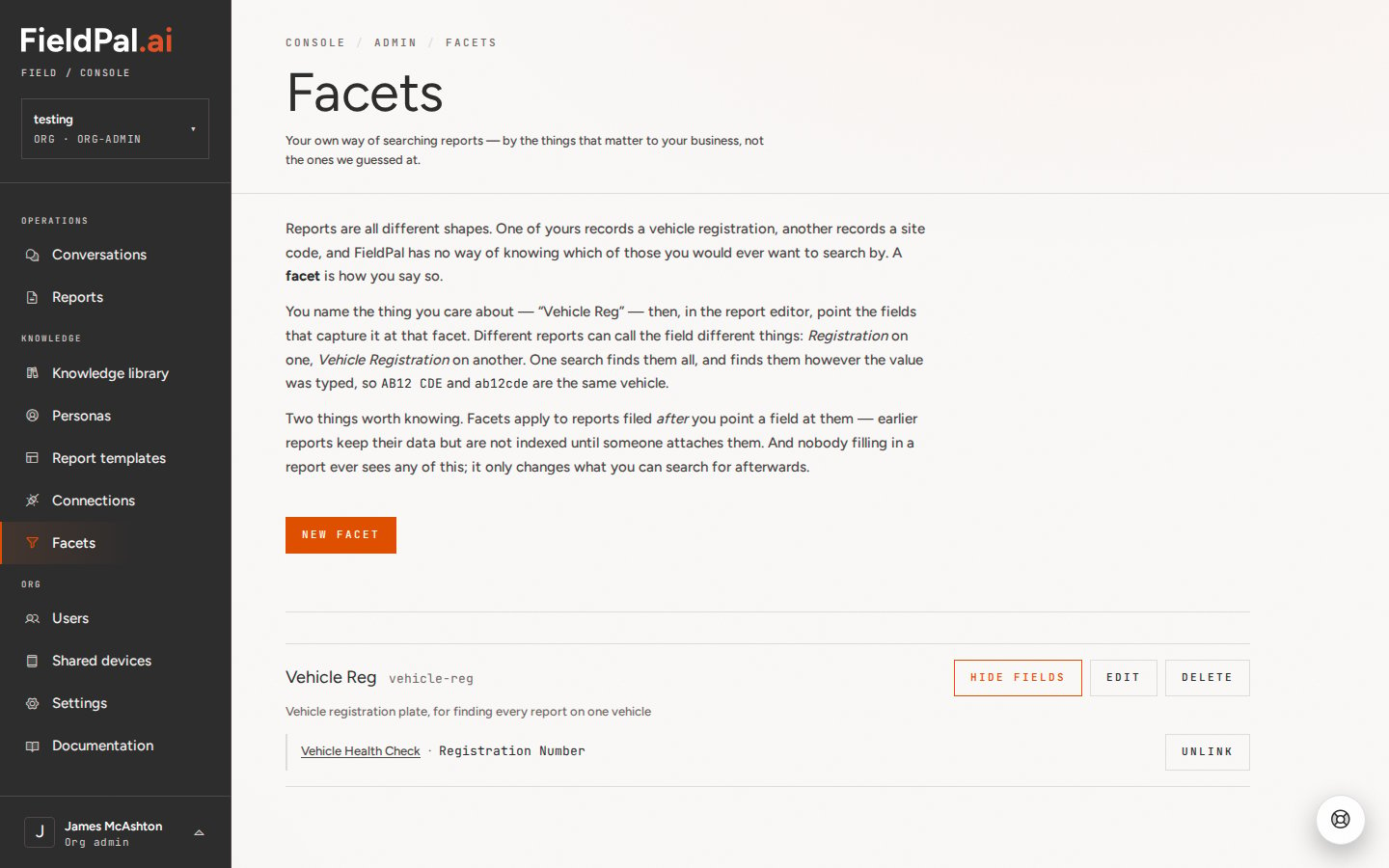
Facets: search reports by what matters to you: create a facet in the dashboard (a vehicle registration, an asset tag, a site code), point the matching field on each template at it, and the Reports register search finds every report with that value, whichever template it was filed on. Spacing, punctuation and capitals are ignored, soAB12 CDE and ab12cde match. Facets cover reports filed after a field is linked. See Facets.
Fixed
Voice notes in repeated sections: the transcript of a voice note recorded in a repeatable section now appears on the right entry straight away, instead of only after reopening the report. Navigation bar covering reports: the bottom navigation bar no longer appears over an open report. Failed photo uploads: a photo that fails to upload now keeps its preview and a Clear button, so you can remove it and try again. Photo field help text: the description on photo, video and file fields now sits under the field name rather than inside the upload box.Report templates
Field name rules: new or renamed field names can be up to 100 characters and can’t contain/, : or ~, or start or end with a space. Existing field names are unaffected. This fixes a cause of report answers failing to save. See Creating a report template.
v1.0.711 — 9 September 2026
New
Card sign-in for shared devices: workers without a company email address can now sign in to a shared tablet or headset by scanning an ID card, no email or password needed. An admin sets up the device and assigns cards to workers first. See Adding a shared device and card user for setup steps.Fixed
Conditional report fields matched values by case: a field that should show or hide based on another field’s answer could get stuck in the wrong state if the two values differed only in capitalisation. Matching is now case-insensitive.v1.0.663 — 24 August 2026
New
Scan fields can now look things up for you — after scanning a QR code, barcode, or piece of printed text, FieldPal automatically checks the scanned value and can fill in other related fields on the report for you, on top of the field it was scanned into.Fixed
Number plate scanning accuracy — text scanning of UK number plates could occasionally misread a “1” in the plate’s year digits as the letter “I”. This is now automatically corrected.v1.0.648 — 20 August 2026
New
Scan fields — report templates can now include a scan field: point your camera at a QR code, barcode, or printed text and FieldPal reads it straight into the field, no typing required. The photo it was scanned from is kept alongside the decoded value as evidence.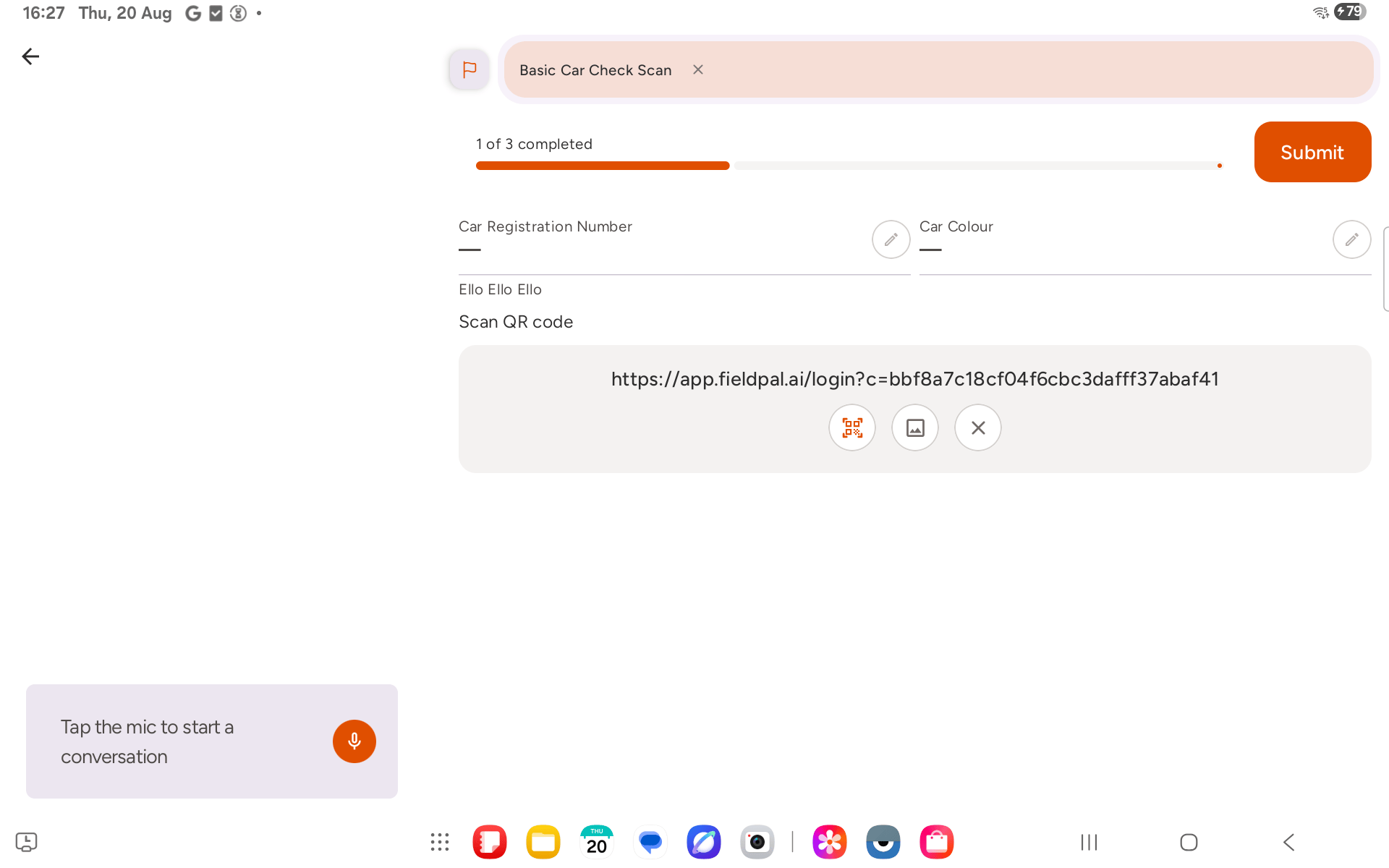
v1.0.640 — 18 August 2026
New
Three new languages: Chinese (Simplified), Japanese, and Arabic join the app, picked up automatically from your device language or set manually in Settings. Clearer organisation access messages: if your organisation’s access changes (trial ended, account paused, and similar), you’ll now see a plain-English screen explaining why, instead of a confusing login error. If you belong to more than one organisation, you can switch straight to a working one from that same screen. Voice mode stays out of the way: opening the camera now ends conversation mode cleanly instead of competing with it, and starting voice mode while a file is still uploading is blocked with a short prompt to wait or cancel. AEC override setting: a new opt-in toggle in Settings (Android) for the rare cases where a tablet’s hardware echo cancellation is blocked, usually by a case or mount covering the microphone, and FieldPal starts hearing its own voice. Pauseable in-app video recording: video recording now happens in FieldPal itself rather than handing off to your device’s camera app, with pause and resume mid-clip and a flashlight toggle where your device has one.Fixed
Getting locked out with more than one organisation: if your current organisation lost access, the only option on the blocked screen was to log out, and logging back in reselected the same blocked organisation. Fixed by the organisation switcher above.v1.0.596 — 30 July 2026
New
Choose your language — set your preferred language in Settings: English (UK or US), Spanish, French, German, Portuguese (Brazil), or Dutch. The app defaults to your device’s language automatically if it’s supported. Chat status messages like “Searching” and “Reading reports” now show in your selected language too.Fixes
PDF sources open reliably — opening a document from a Search manuals answer could sometimes fail to load, particularly on a repeat search or if you tapped through before results had fully arrived. Fixed. Voice mode waits for you — previously, voice mode would restart on its own when you returned to the app after backgrounding it. It now stays off until you tap the mic again. Minor visual fixes — improved spacing in the “Speech unavailable” message, and better alignment of paired report fields that only have one description.v1.0.569 — 27 July 2026
New
Search manuals asks what you want to search for — tapping Search manuals now opens a dialog asking “What would you like to search for?”, with text and voice input, instead of jumping straight into a conversation with a fixed prompt. Search manuals and Take notes are also back on the mobile home screen.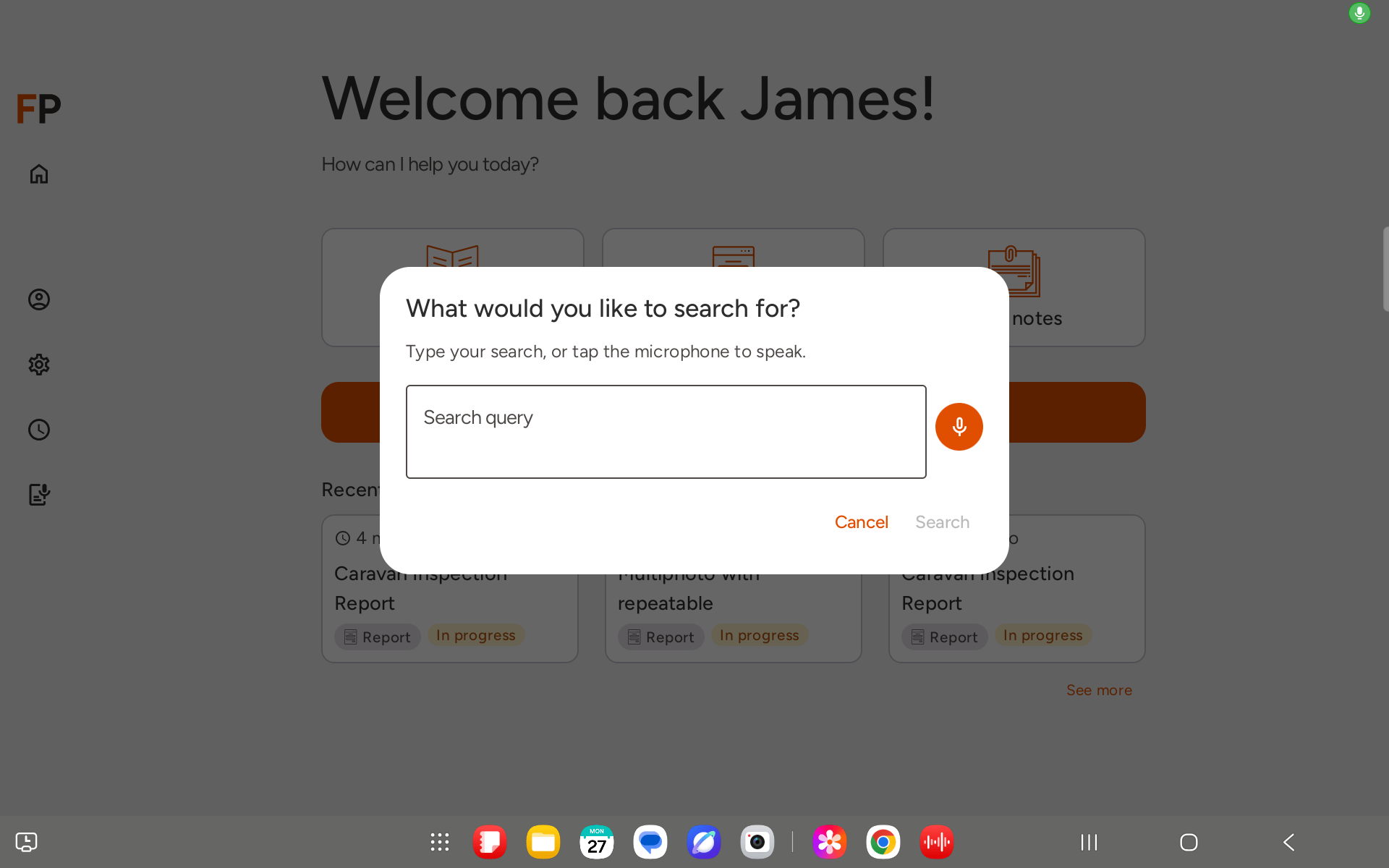
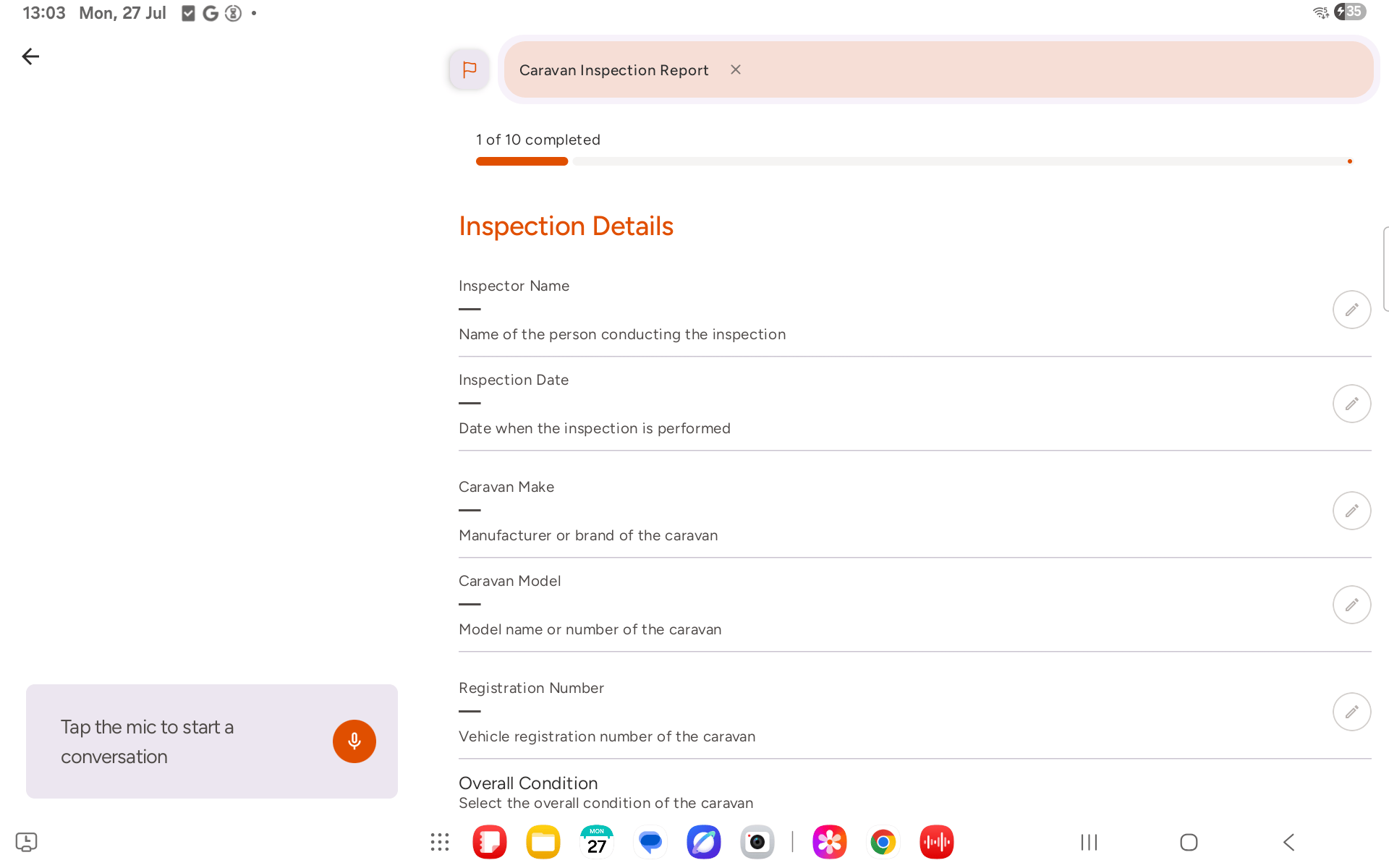
v1.0.549 — 20 July 2026
New
Image OCR — report image fields on both Android and iOS can now run on-device text recognition. Tap “match word” next to an uploaded photo to pull text into the field comment.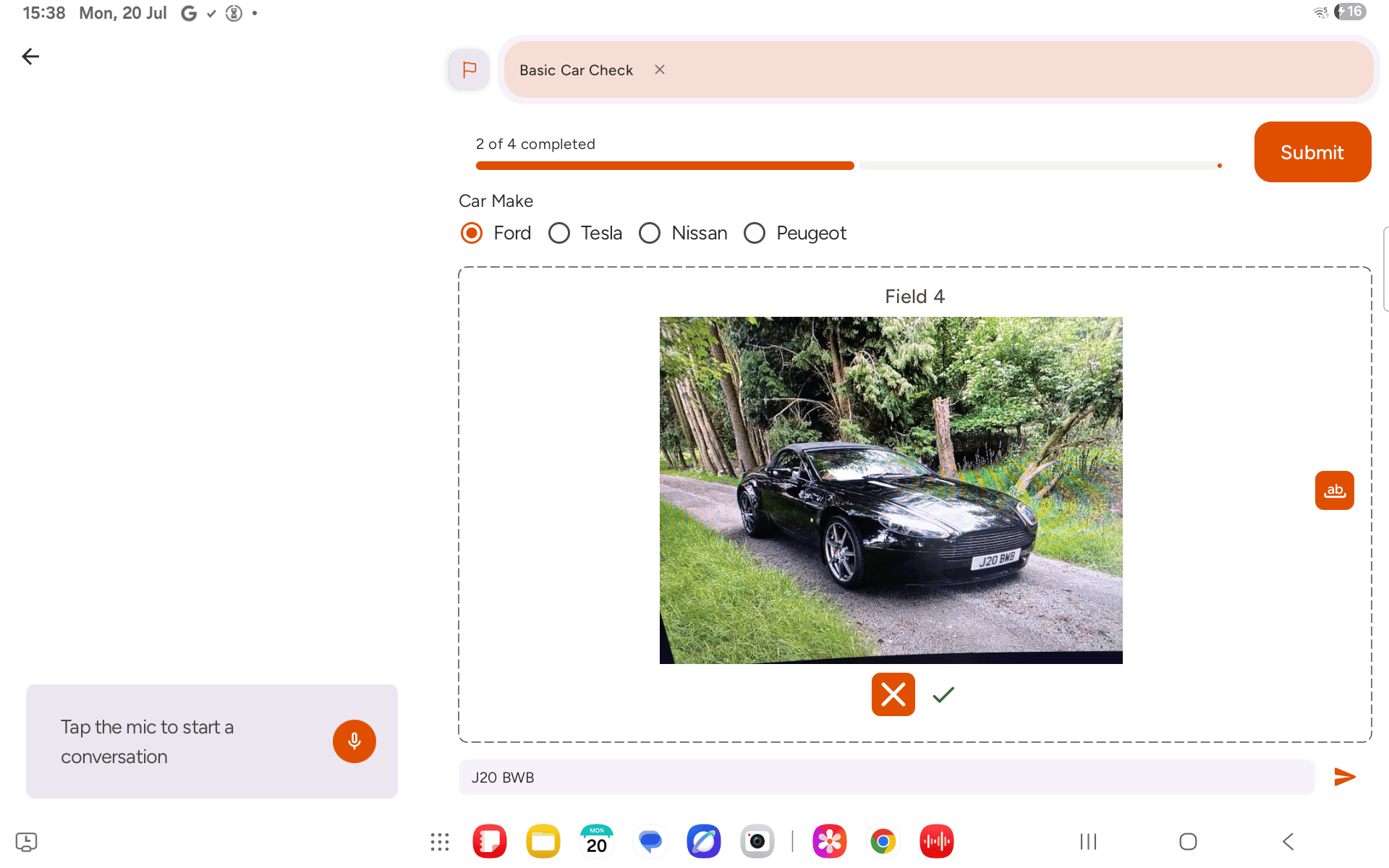
Fixes
Conditional report sections fixed — sections that should only appear based on another field’s answer now show correctly. iOS video preview — video preview thumbnail now actually shows after an upload finishes on iOS (was blank, icons only).v1.0.505 — 7 July 2026
New
History filters — filter your conversation history by All, Completed reports, In progress reports, Find, or Notes, so you can quickly find the conversation you’re after. See more from Home — a new “See more” link under Recent activity on the Home tab jumps straight to your full History. PDF viewer improvements (Android) — pinch-to-zoom, pan, and double-tap zoom are now available when viewing PDF sources on Android, matching the existing iOS experience. Page numbers are back too.Fixes
Sign-in reliability — improvements to sign-in reliability on Android.v1.0.482 — 3 July 2026
Fixes
Repeatable section uploads — photos, PDFs, and audio attached within a repeatable section are now keyed to that specific instance. Previously, uploads across repeated entries could be mismatched; each instance’s files are now correctly isolated. Snackbar positioning — in-app notifications in conversation mode now sit above the on-screen navigation bar, so they’re no longer hidden behind gesture controls.v1.0.458 — 01 July 2026
New field types: RAG, PDF upload, and Audio upload
Three new field types are available when building report templates. RAG (Red / Amber / Green) — a colour-coded status field. Field workers select a rating by voice (“driveability is amber”) or by tapping a colour directly on the form. The rating appears as a coloured badge in the submitted report and in any PDF export. PDF upload — a file picker field that lets field workers attach a PDF document from their device. The file is stored against the report and available to download from the dashboard. Audio upload — lets field workers attach an existing audio file or record a new voice note on the spot. Audio plays back inline in the dashboard report viewer — no download needed. See RAG ratings and Uploading files to a report for app instructions, and Field types for the full template reference.Conversation attachments
Files uploaded during a conversation (rather than on a specific report field) now appear in an Attachments section above the transcript on the conversation detail page in the dashboard. Audio files play back inline; PDFs open via a link.Dashboard report viewer
The report detail view now renders the new field types inline: RAG badges with red, amber, or green colouring; an inline audio player for audio uploads; a file link for PDF uploads. RAG colours also carry through to PDF exports.v1.0.374 — 4 June 2026
Personas
A new Personas section in the dashboard lets org admins define how the AI assistant should behave across all conversations. Set the assistant’s role, tone, vocabulary, and sourcing rules in plain text — for example: “You are a vehicle inspection assistant. Always use plain English. When citing knowledge articles, quote the source title.” See Personas for full details.What’s New dialog
A What’s New dialog now appears in the dashboard when significant updates have been released. Dismiss it with “Don’t show this again” to stop it appearing on subsequent logins.Report drawer
The report detail view has been updated with a refreshed drawer layout, improving readability of long reports on smaller screens.v1.0.364 — 2 June 2026
App
Listening timeout — a new slider in Settings controls how long the app waits for speech input before timing out. Adjust it to suit your environment — longer in noisy conditions where you need more thinking time, shorter if you prefer snappier turn-taking. US English voices — US English accent options are now available alongside existing UK voices. Voice selection is exposed in hands-free settings. Background session refresh — the app now refreshes your auth session automatically in the background, so you stay signed in without having to log in again mid-shift. Bluetooth microphone improvements — better handling of Bluetooth headset connections, with clearer error messages if a Bluetooth mic fails to initialise. Not-provisioned error — if your account has not yet been set up by your organisation, the app now shows a clear error screen at login rather than a broken auth flow. Field comments — comment boxes are now available on individual form fields in capture mode. Tap a field to add or edit a comment alongside the main answer.RealWear
A significant rebuild of the RealWear experience:- Native PDF viewer added, consistent with Android and iOS.
- Video player restructured with improved reliability.
- On-screen command tips expanded.
- Voice commands simplified — single-word commands that caused accidental activation have been removed.