

Step 1: Start the report
Tap Complete report and choose a template with upload fields. You will see the upload controls on the form: a Choose PDF button under any PDF field, and Record / Upload buttons under any audio field.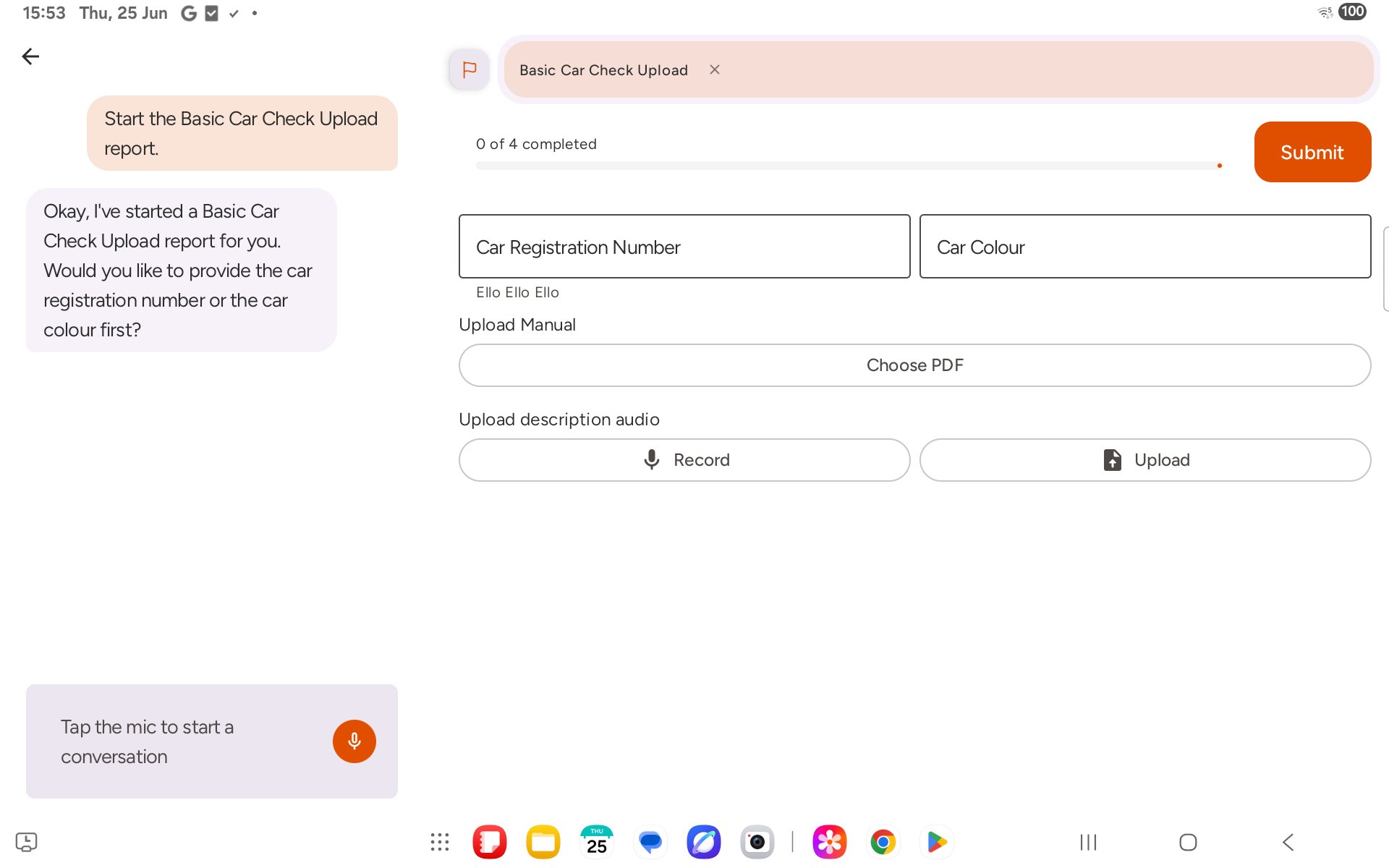
Step 2: Attach a PDF
Tap Choose PDF. Your device’s file picker opens. Browse to the file you want — for example in Downloads — and tap it. The field shows PDF attached once the upload is complete.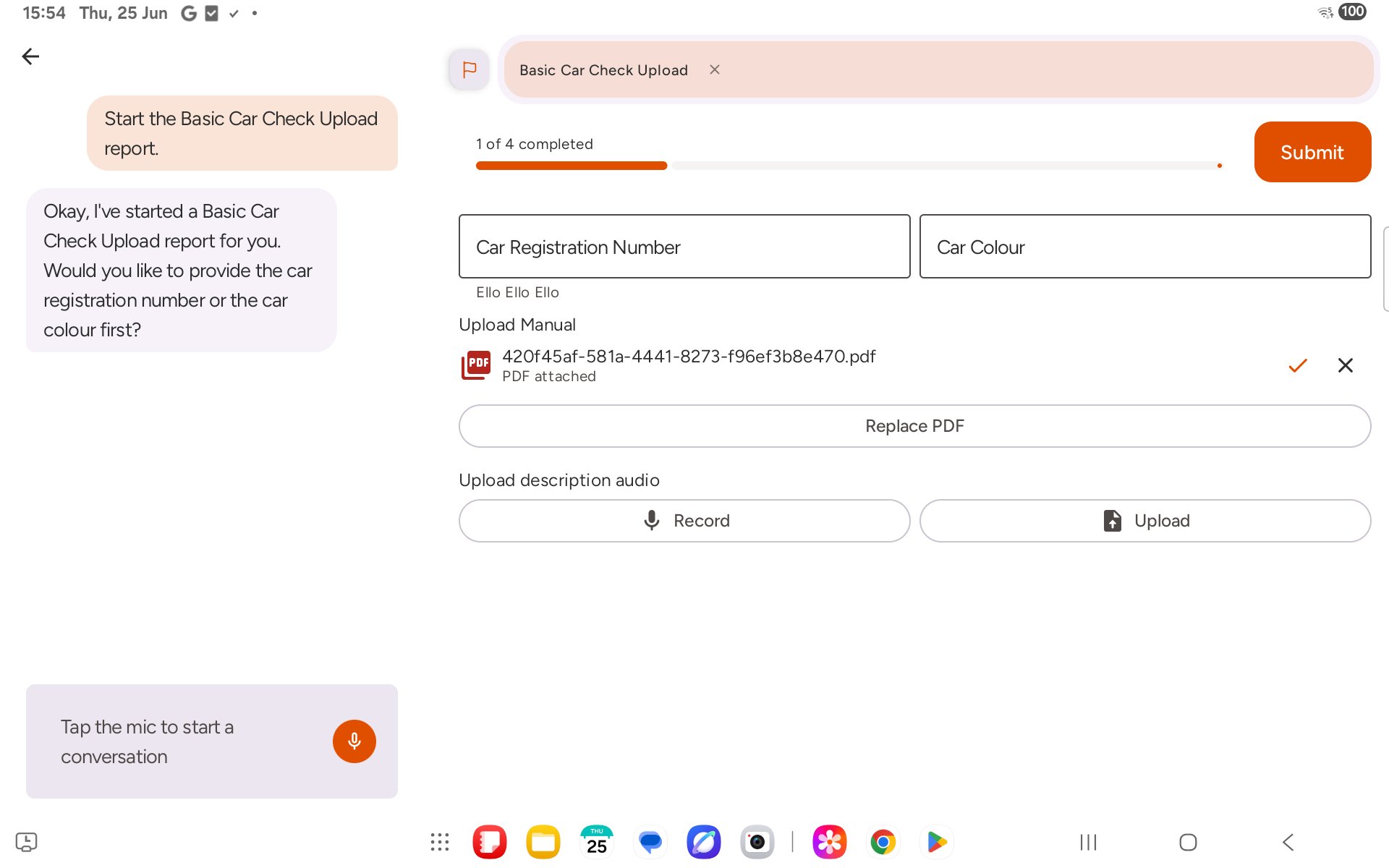
Step 3: Attach an audio file
Under the audio field, tap Upload and choose an existing audio file from your device the same way. The field shows Audio attached once done.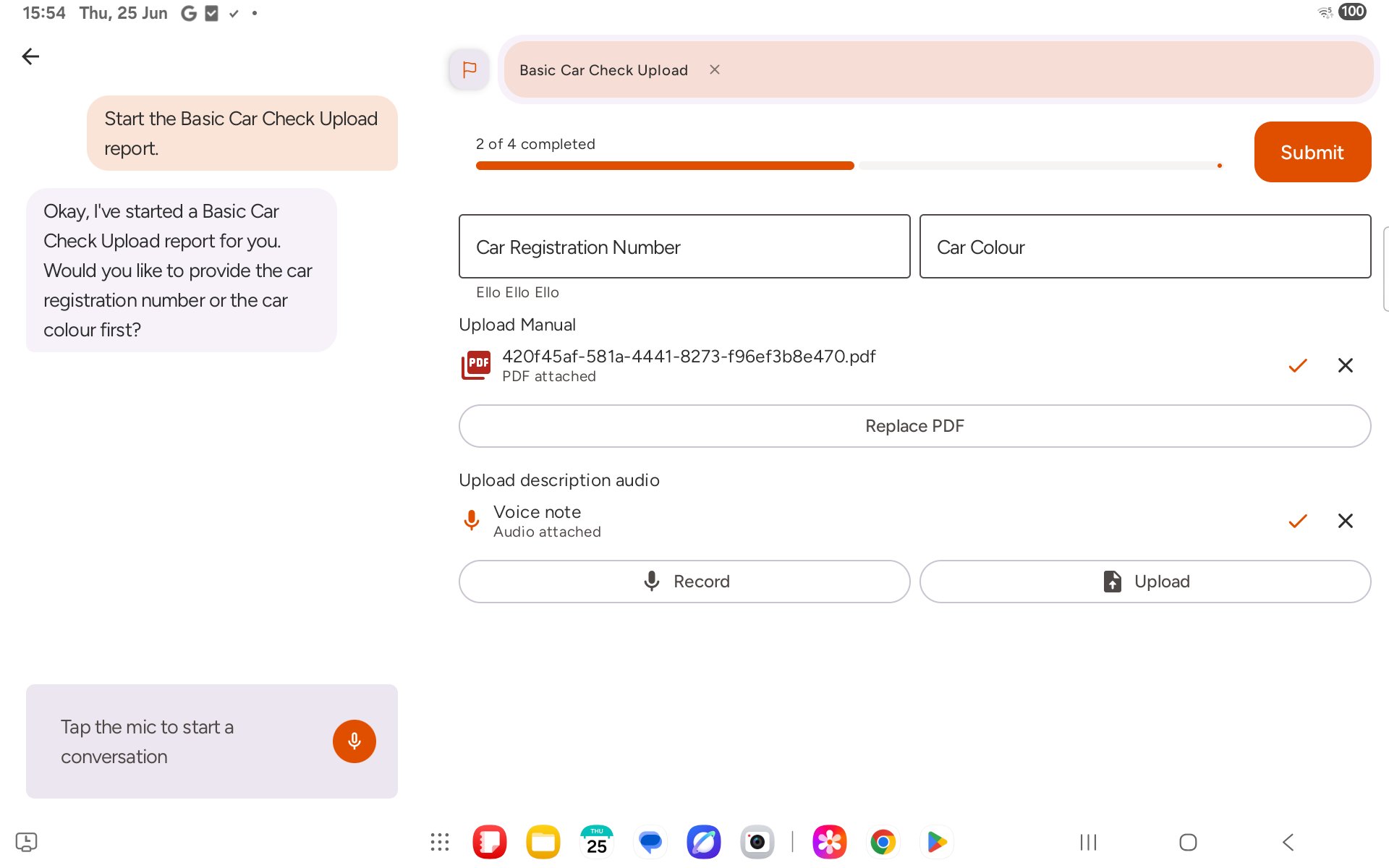
Step 4: Finish and submit
With the files attached and the remaining fields filled in, the progress bar reaches 100%. Tap Submit to send the report.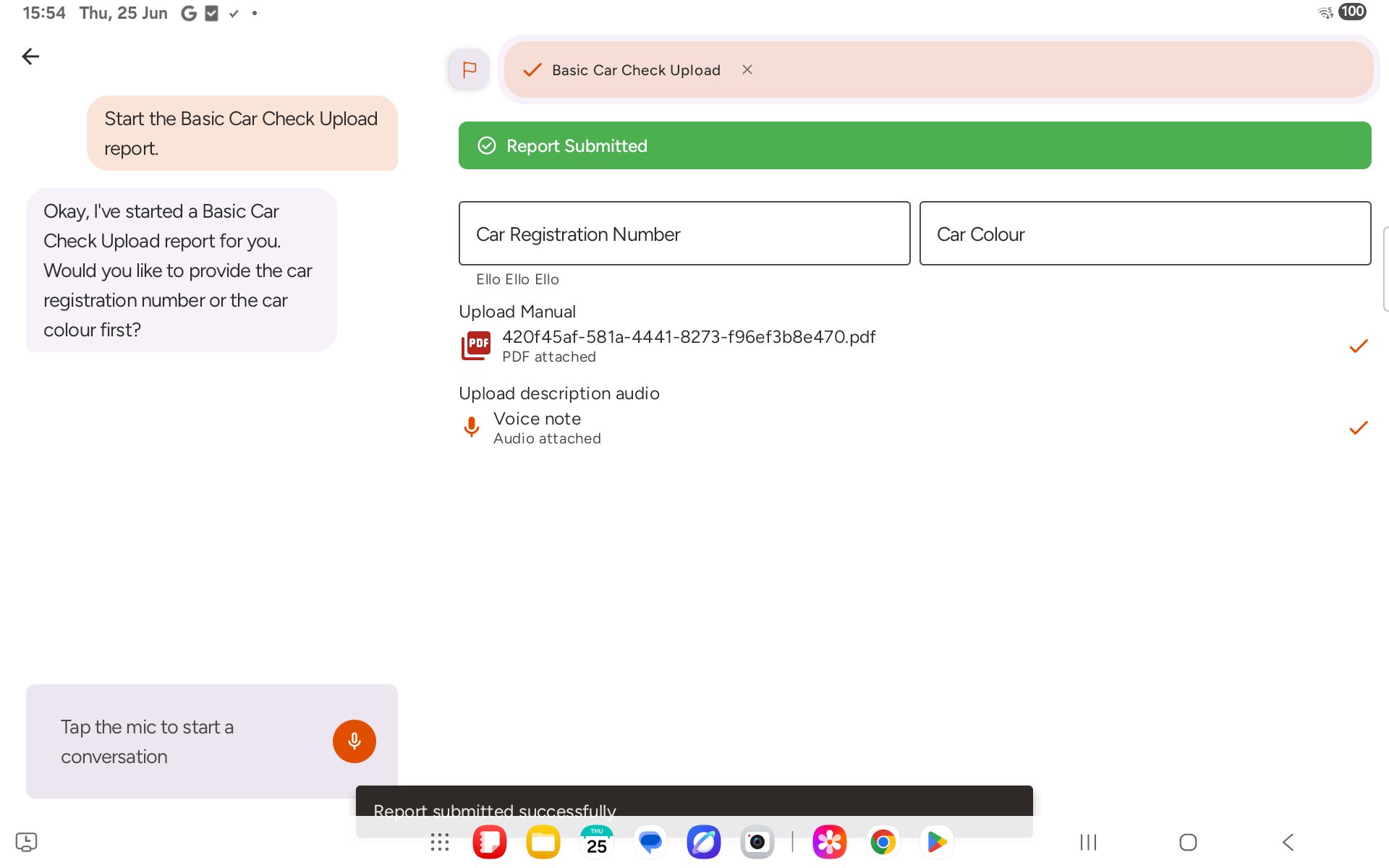
If a file is still uploading
Photos, videos and files upload in the background, so you can carry on with the report while they send. On a slow connection this can take a while.- Starting voice mode: if you tap the mic while an upload is still going, you’ll see Upload in progress. Tap OK to wait for it to finish, or Ignore to start voice mode anyway.
- Submitting: if you tap Submit while an upload is still going, you’ll see Files still uploading. Tap Dismiss to keep the report open and wait, or Submit anyway to send it now. Files that finished uploading are included; anything still sending from your device is left out.
- Failed uploads: if a photo fails to upload, its preview stays on the field. Tap Clear to remove it, then take or choose the photo again.