

Step 1: Tap Search manuals
From the home screen, tap Search manuals.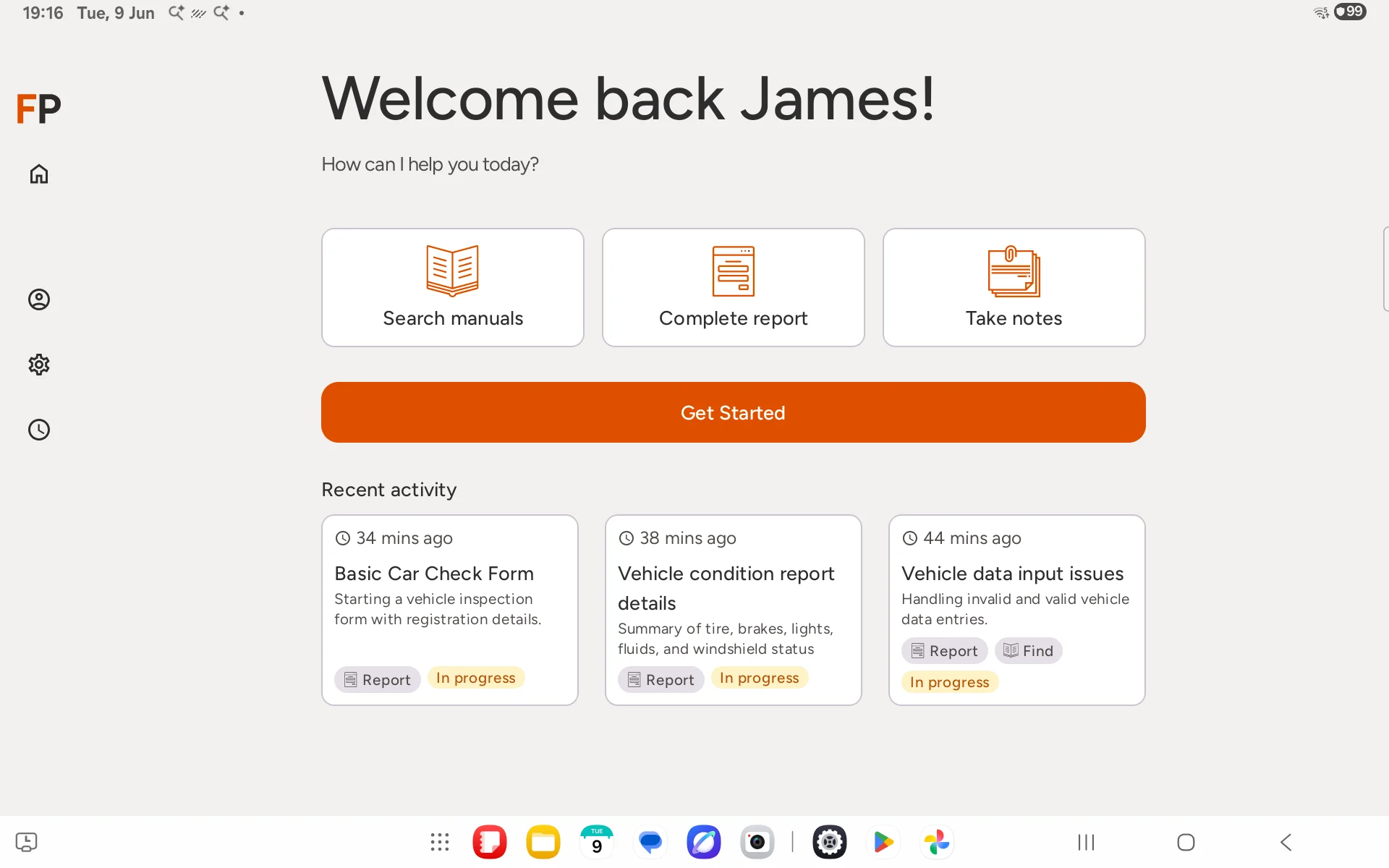
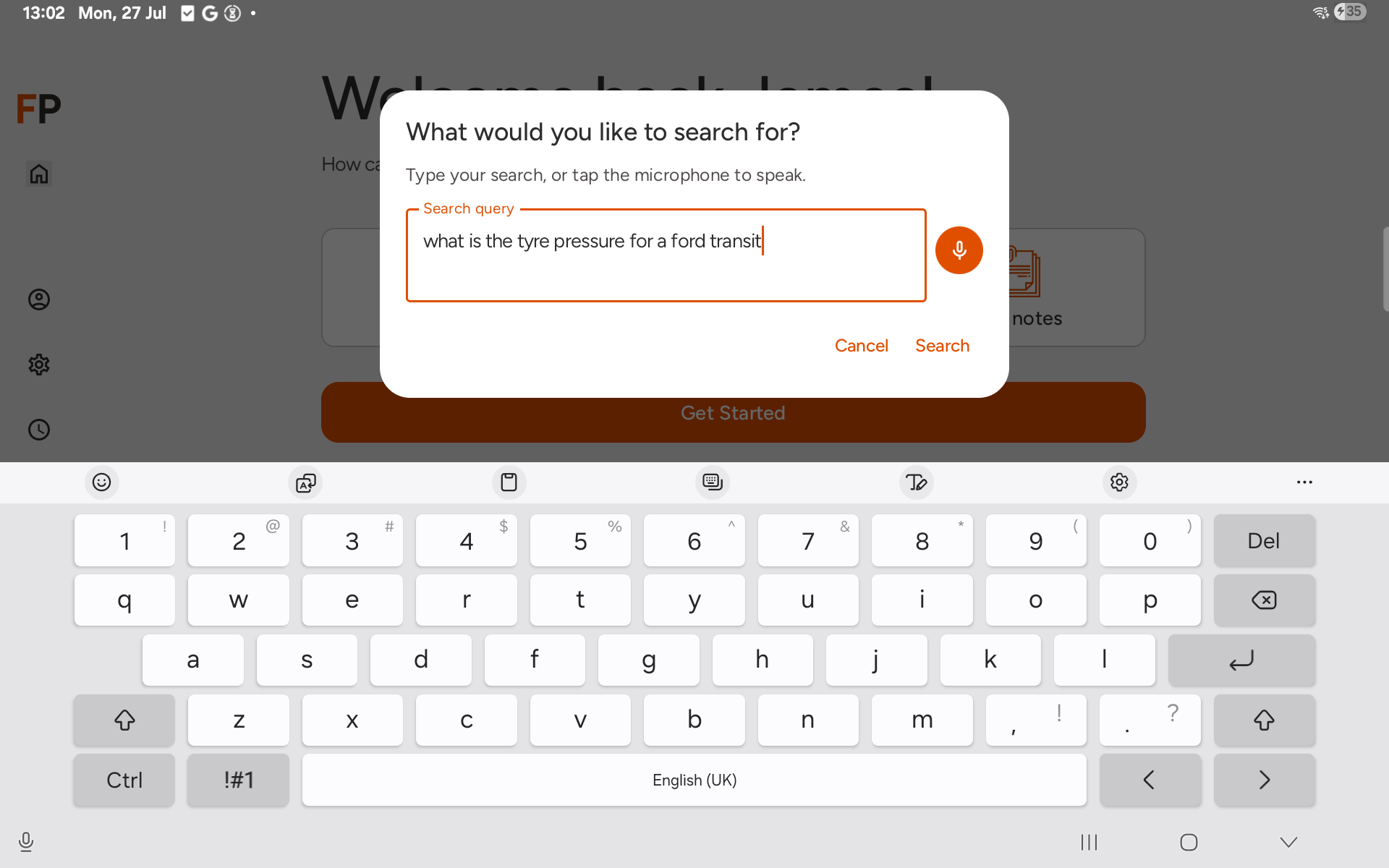
Step 2: Enter your search
A dialog appears asking What would you like to search for? Type your question, or tap the microphone to speak it instead.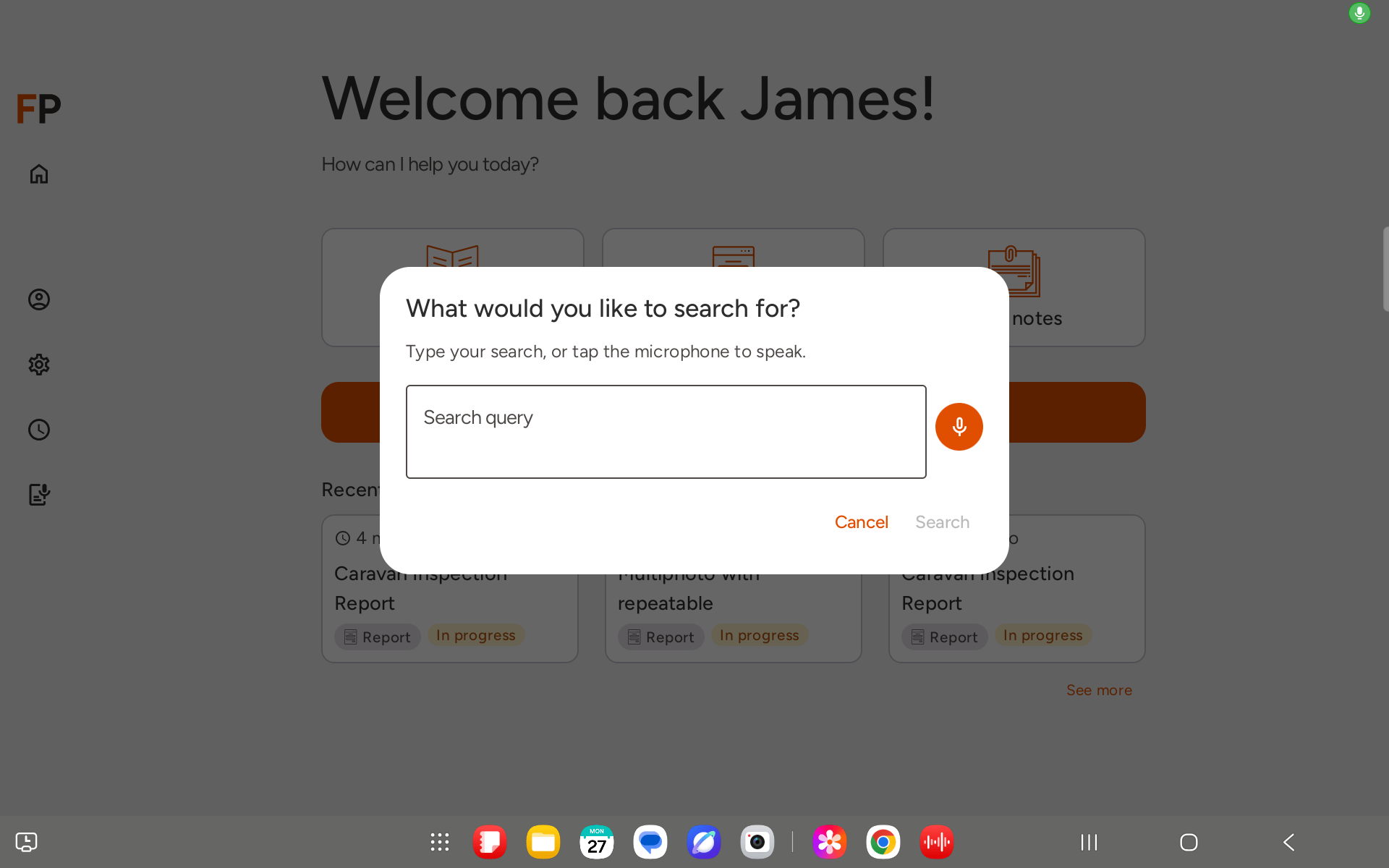
- “What manuals do you have available?”
- “What is the tyre pressure for a Ford Transit?”
- “Show me the inspection checklist for the MR400 lift”
Step 3: Wait for FieldPal to be ready
The AI assistant will load with your question already sent. When you see FieldPal is ready, the conversation begins.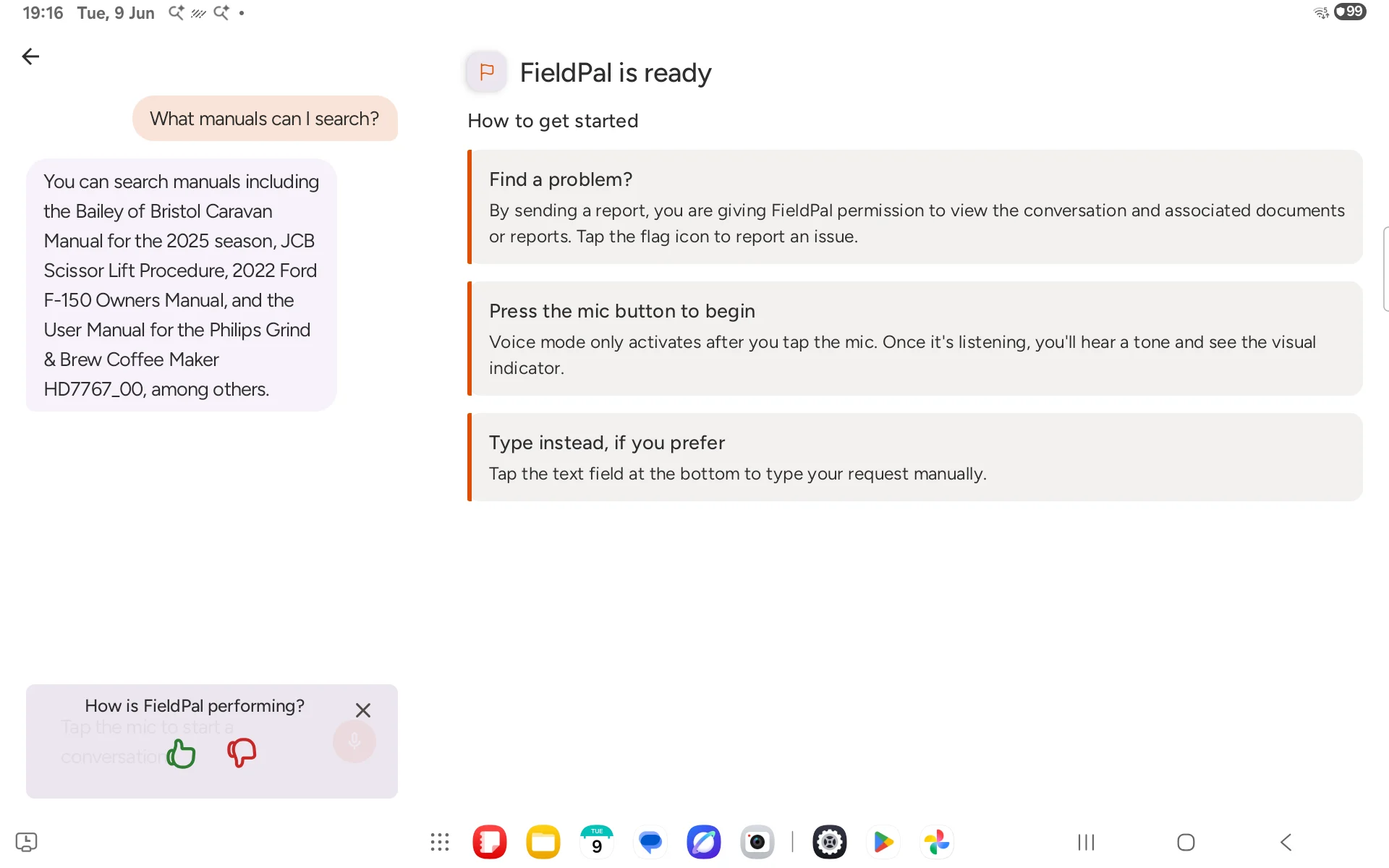
Step 4: Continue the conversation
Ask follow-up questions in the same session. The AI remembers what was said earlier, so you can say things like “what about the rear tyres?” without repeating the vehicle name.Step 5: View the source document
When the AI’s answer comes from one of your organisation’s manuals, a See source card appears alongside the answer. Tap it to open the original PDF, scrolled to the relevant page, so you can check diagrams, full procedures, or anything else the answer did not cover. Tap Close on the PDF viewer to return to your conversation.Tips
- The knowledge base only contains documents your organisation has uploaded. If a manual is not there, the AI will say so.
- If you get a vague answer, try being more specific: include the make, model, or document name.
- This feature requires a data connection. Answers may be slower on a weak signal.
- Not every answer has a source document. Some answers are general knowledge or based on earlier parts of the conversation.